Export your dives as proof
Export the whole logbook free as a PDF, one page per dive with its profile; to send a subset, select dives and export UDDF, Subsurface XML or CSV.

- For the whole logbook, open Settings → Data & Sync and tap the PDF row. Below writes one PDF, with a page for every dive.
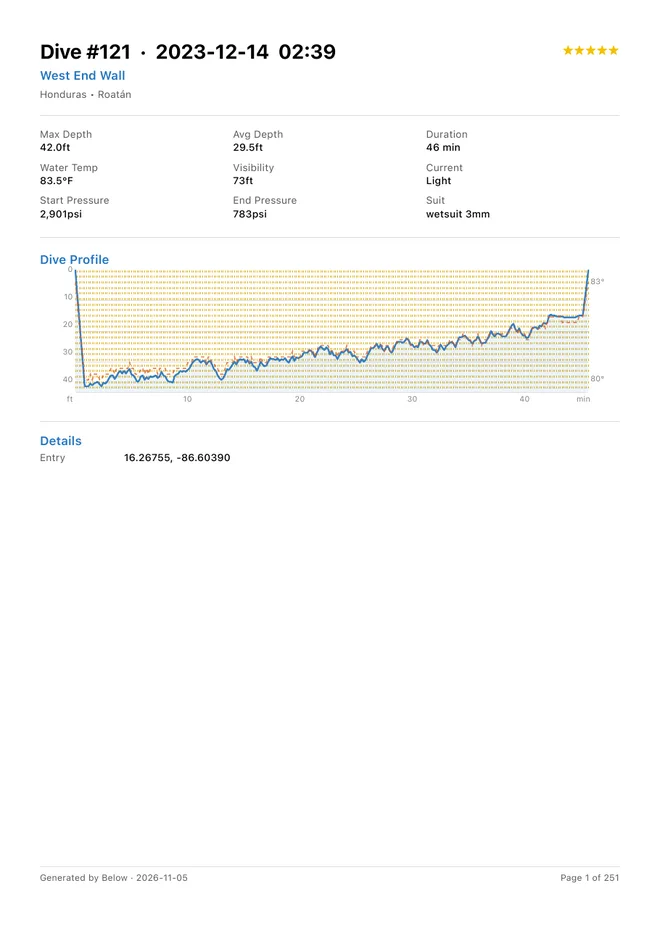
- Each dive gets one A4 page, with its profile chart when the dive has samples.

- To send only some dives, open the Logs tab and tap Select.

- Pick the dives, tap export and choose UDDF, Subsurface XML or CSV. Below writes a file for the selection and opens the share sheet.
The PDF is for reading and printing; Below cannot import it back. A subset file in UDDF or Subsurface XML opens in Subsurface, which reads both. Sending dives to an insurer? Send the PDF: it opens on any computer, with no dive log software. Every row in Data & Sync exports the whole logbook; to send only some dives, select them in Logs as in steps 3 and 4.
Exports are free. UDDF and Subsurface XML carry the profile samples, CSV has one row per dive, and the PDF draws the profile. The full profile chart in the app is Below Unlimited; the PDF page and the files do not need it.